Best AI Fashion Model Pose Generator Tools for Product Photography (2026)
Photoroom and Photta are listed first by our choice, not as the result of a test. How we write these lists
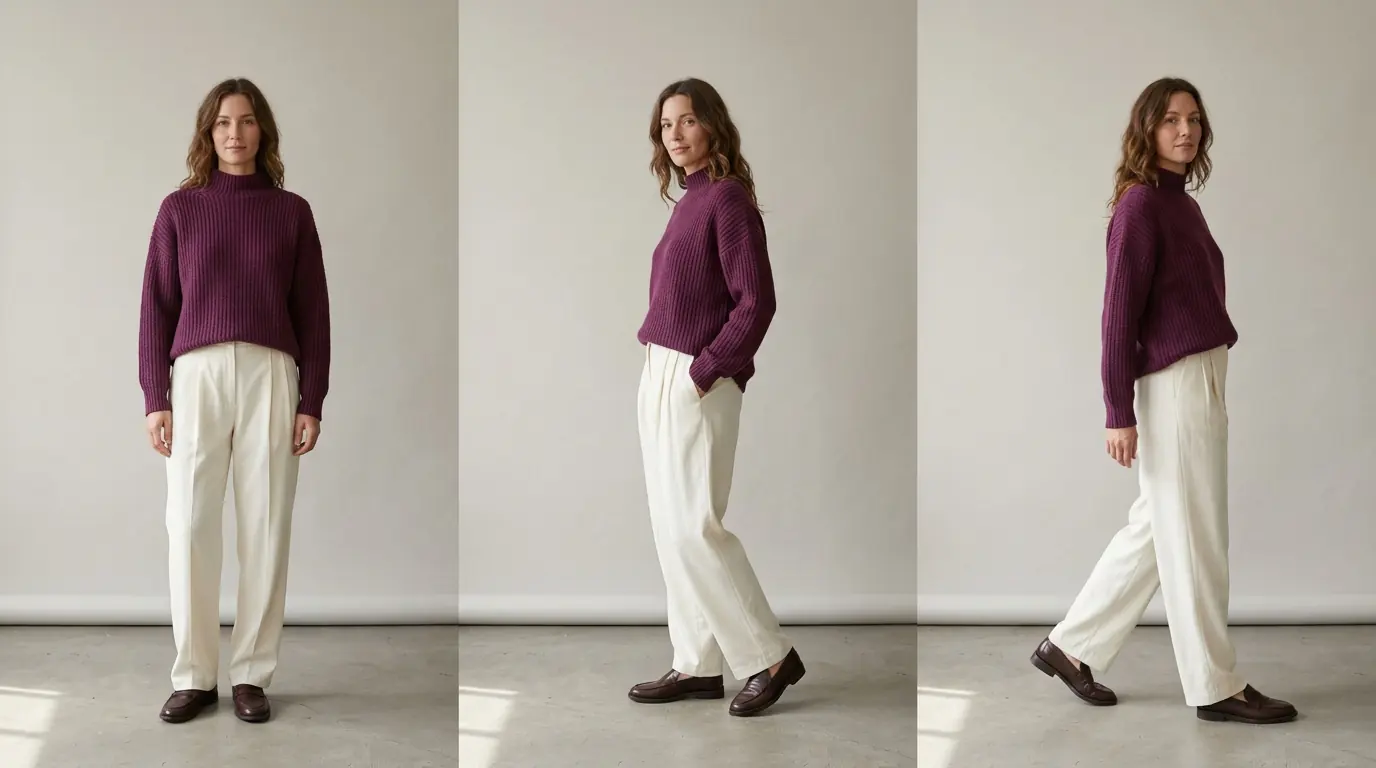
The best AI pose generator for a fashion product photo depends on whether the on-model photo already exists. If it does not, Photoroom's AI Fashion Models sets the pose from a preset list as it makes the model photo from a clothing photo, from $12.99 a month. If it does, Photta's Pose Changer makes a new pose of the same model in the same garment for about $0.12 to $0.19 an image on its monthly plans ($19 to $369 a month). Most others also re-pose an existing photo; Nightjar, Rawshot.ai, Claid and Botika set the pose at generation; Flair does both. Facts were read on vendors' own pages on 15 November 2026, and on 18 November 2026 for Photoroom, Photta's prices, Flair, Claid, Adobe Firefly and Botika.
Photoroom and Photta are first and second by this site's own choice, not as the result of a test; the others are not ranked. Photta's entry follows the same rule: what it does, what it costs, where it falls short.
Key takeaways
- Two jobs share one name. Nine of the fifteen tools re-pose a photo you upload, five set the pose at generation and Flair does both.
- The pose is set in three ways. Presets (Photta's 10+, Claid's 8, Rawshot.ai's 104), typed words (BudgetPixel AI, Adobe Firefly) or a reference picture (Pokecut, Nightjar, Fotor).
- A new pose is a new drawing of the garment. WearView asks for a back photo so turned-away poses show "the real garment instead of a guess".
- Cost per pose runs from under a cent to more than a dollar. Photoroom is under $0.01 at 1K and WearView up to about $1.74 at 2K, on monthly billing.
Contents
- Best AI pose generators at a glance
- Two kinds of AI pose generators: re-posing a photo and posing at generation
- The 15 best AI pose generators
- How to check AI pose generators before you publish
- Which AI pose generator fits your shop
- FAQ: AI pose generators
- Sources for this comparison of AI pose generators
- Profiles of the tools in this list
Best AI pose generators at a glance
| Tool | Best for | How the pose is set | Starts from | Free start |
|---|---|---|---|---|
| Photoroom | Pose set as the model photo is made | Preset Pose list, refined by prompt | $12.99 a month | 7-day trial on yearly Pro or Max |
| Photta | New poses of an on-model photo | Preset library (10+ poses) | $19 a month, or a $12 one-time pack | One free pose, watermarked, no card |
| Modelia | Typed poses and new angles | Presets or text | $30 a month | 50 credits, watermarked |
| WearView | Up to eight poses in one run | Presets or text | $29 a month | No free plan listed |
| Bandy AI | Pose and angle together | Presets or text | $29 a month | 20 credits |
| Blend | Side, back and walking shots | Preset list or text | Price varies by region | Not stated |
| BudgetPixel AI | Low cost per 2K pose | Text | $10 a month | 300 credits a month, no card |
| Pokecut | Copying a reference pose | Reference image | Not stated | Not stated |
| Nightjar | Pose set at generation | Presets or reference image | $25 a month | 6 credits, no card |
| Rawshot. | 104 poses and 5 camera views | Preset library | $9 a month | 7-day trial, 50 credits |
| Fotor | General editor with a pose changer | Text, reference image or presets | US$8.99 a month | Not stated |
| Flair | Pose at generation or changed later | Preset or custom poses | $10 a month | 5 images |
| Claid | Pose set from a garment photo | 8 presets or text | $15 a month | 50 credits (12 images) |
| Adobe Firefly | Typed pose change, general app | Text | Price varies by region | Limited daily generations |
| Botika | Front and back poses | Preset pose bank | $25 a month | 7-day trial, 300 credits |
Two kinds of AI pose generators: re-posing a photo and posing at generation
Re-posing a photo. A dressed model or mannequin photo comes back in another stance, as in Photta, WearView or Adobe Firefly.
Posing at generation. The pose is one setting of a new on-model photo made from a garment photo: Photoroom, Nightjar, Rawshot.ai, Claid and Botika (see the best AI fashion model generators). Flair does both.
Either way the garment is redrawn, so compare each pose with the real piece; to change the person instead, see AI model swap tools.
The 15 best AI pose generators
1. Photoroom: an AI pose generator that sets the pose as the model photo is made
Photoroom's AI Fashion Models turns a clothing photo into an image of the item on an AI model, with Pose as one setting beside model, background, quality and size. Its help centre says "Photoroom generates an image based on the source image, the chosen settings, and a prompt", so each pose is a new drawing of the garment.
- How the pose is set: From a Pose list with "many different positions"; a prompt can refine it, as in Photoroom's example "The model has her left hand in her pocket." The Virtual Model API offers torso or full-body pose control. Re-posing your own finished photo with the same person is not described.
- Price: Pro $12.99 a month ($89.99 a year), Max $34.99 ($250 a year), Ultra $99 ($990 a year) (US prices; the page shows local prices by country). AI Fashion Models is on Pro and up: 1K on Pro, 2K from Max, 4K on Ultra. A model image works out at under $0.01 at 1K on Pro, about $0.19 at 2K on Max and about $0.32 at 4K on Ultra on monthly billing (our arithmetic).
- Free start: The Free plan gives 100 exports a month for personal, non-commercial use and does not include AI Fashion Models; a 7-day free trial comes with yearly Pro and Max only.
- Not for: Sellers who want to copy a reference pose picture or try poses on the Free plan; its pages name a pose list and prompt only.
2. Photta: an AI pose generator for new poses from an on-model photo you already have
Photta's Pose Changer makes additional model poses and angles from an existing on-model photo. You upload one clear photo of a model or mannequin wearing the product, pick one pose and get one image. The page says it keeps "the same clothing and model appearance"; the garment is still drawn again, so compare prints, seams, logos, colour and length with the real piece. With no on-model photo yet, Photta makes the first one from a flat lay, hanger or mannequin photo for about $0.21 to $0.32.
- How the pose is set: From a preset library of "10+ professional fashion and catalog poses", such as hands on hips, walking and sitting; one pose per image.
- Price: Monthly plans run $19 to $369; Seller is $49 a month. A new pose from a result costs about $0.12 to $0.19 (our arithmetic); 4K needs the Seller or Brand plan. Without a plan, one-time packs of 50 for $12 or 100 for $20 (about 10 or 20 on-model photos) never expire.
- Free start: One free pose image per account (email verification, no card); it carries a Photta watermark, as do all photos made before paying.
- Not for: Sellers who want to copy a reference pose, type a pose or get many poses in one click. It is not a pixel-exact edit, nor a live try-on for shoppers (the separate Photta Business widget).
3. Modelia: an AI pose generator with preset poses, typed poses and new camera angles
Modelia's Pose Changer re-poses the model in an uploaded photo "while preserving identity, style, lighting, and background" and makes new camera angles; an older FAQ disagrees.
- How the pose is set: Preset poses or a text prompt.
- Price: Creator $30 a month for 150 credits; a standard image is 3 credits (about $0.60), a pose change not stated.
- Free start: 50 welcome credits, then 20 a month; watermarked and not for commercial use.
- Not for: Sellers who want a stated caveat on prints and seams.
4. WearView: an AI pose generator for up to eight poses of one photo
WearView's Pose Changer keeps face, hair, skin tone and build from one on-model photo; "prints, buttons, belts, seams and accessories stay where they were photographed".
- How the pose is set: Women's and men's catalog poses, or your own words; up to eight per run.
- Price: Lite $29 a month (50 credits), Pro $49 (200), Advanced $99 (500). A 2K photo is 3 credits, about $0.59 to $1.74; the charge per pose is not stated.
- Free start: No free plan listed; free sample shoots are mentioned.
- Not for: Sellers who want to try before paying or re-pose in bulk.
5. Bandy AI: an AI pose generator that changes pose and camera angle together
Bandy AI's Create Poses & Angles tool re-poses an uploaded person or mannequin photo and can switch to a "profile, bird's-eye or low angle"; the garment is not mentioned.
- How the pose is set: A pose and angle library, or a typed idea; several per run.
- Price: Lite $29 a month (80 images, about $0.36 each), Pro from $59 (200, about $0.30), per embedded page data.
- Free start: 20 free credits (embedded data); "No-watermark outputs" start on Lite.
- Not for: Sellers who need a named back view or a stated resolution.
6. Blend: an AI pose generator for front, side, back and walking shots
Blend's Change Pose tool re-poses a Blend model image or your own outfit image into "front view, side profile, back view, 3/4 turn, walking shots", preserving garment and fit, it says.
- How the pose is set: Preset pose styles in a dropdown, or a typed pose.
- Price: Price varies by region for PRO and MAX; cost per model image not computable.
- Free start: A "Start creating for free" button; allowance and watermark not stated.
- Not for: Sellers who need a US dollar price first.
7. BudgetPixel AI: an AI pose generator with a low listed cost per 2K pose
BudgetPixel AI's AI Model Pose Generator re-poses the model in an existing photo; "very complex garments or occluded limbs may need another pass".
- How the pose is set: Text: stand, walk, sit, lean or face the camera.
- Price: A pose is 55 credits at 1K and 110 at 2K, about $0.05 and $0.10 on Basic ($10 a month); commercial use needs Premium ($22).
- Free start: 300 credits a month, no card, non-commercial.
- Not for: Sellers who want a pose list or commercial use on the cheapest plan.
8. Pokecut: an AI pose generator that copies the pose of a reference picture
Pokecut's AI Pose Transfer copies a reference pose, such as a runway pose, onto the person in your photo; check face, clothing and hands, it says.
- How the pose is set: A reference image you upload or choose.
- Price: Not stated: four plans are listed, but prices load by script and could not be read.
- Free start: Most features can be tried free; amount not stated.
- Not for: Sellers who need a price or commercial-use statement first.
9. Nightjar: an AI pose generator at the moment the on-model photo is made
Nightjar turns flat lay, hanger or ghost mannequin photos into on-model photos and can change the pose or camera distance, keeping model and outfit.
- How the pose is set: A pose library, or any uploaded photo, of which Nightjar "keeps only the body position, never the person or their clothes".
- Price: Studio $25 a month for 150 credits (about $0.17 an image at 1K or 2K), Studio+ $50 for 400 (about $0.13). 4K costs double.
- Free start: 6 credits, no card; watermark not mentioned.
- Not for: Sellers re-posing a photo of a real model, which is not described.
10. Rawshot.ai: an AI pose generator built on 104 preset poses and 5 camera views
Rawshot.ai is a click-driven fashion studio: upload a product photo, choose model, frame, camera view and pose.
- How the pose is set: 104 preset poses and 5 camera views, rear included; custom reference poses are outside the workflow.
- Price: Starter $9 a month (16 images, about $0.56 each) up to Business $179 (400 images, about $0.45 each).
- Free start: A 7-day trial with 50 credits (10 images); card not stated.
- Not for: Sellers who want to re-pose their own shoot or supply a pose to copy.
11. Fotor: a general photo editor with an AI pose generator
Fotor's pose changer keeps the face, skin tone, clothing and body shape of an uploaded photo consistent, it says.
- How the pose is set: A text prompt or a pose picture; presets such as Sitting and Walking also show.
- Price: Pro US$8.99 a month (100 credits), Pro+ US$19.99 (300); the charge per pose is not stated.
- Free start: Limited free credits, number not stated.
- Not for: Sellers who want a fashion-only studio or a known price per pose.
12. Flair: an AI pose generator that sets the pose at generation or changes it later
Flair lets you pick "model types, poses, and styles" for an on-model photo and change the pose later with its Change Pose editing tool. Its FAQ says its generative AI "introduces some variation by design".
- How the pose is set: Preset or custom pose styles; credits per edit not stated.
- Price: Pro $10 a month, Pro+ $35 (80 images, about $0.44 each), Scale from $55 (about $0.37); Pro+ is $26 yearly.
- Free start: 5 images, owned by Flair; commercial use needs a paid plan.
- Not for: Sellers who need a known cost per pose change.
13. Claid: an AI pose generator with 8 preset poses for garment-to-model photos
Claid's AI Fashion Models turns a flat lay or ghost mannequin photo into an on-model image, with the pose chosen as it is made. Claid says the output "isn't a pixel-perfect copy-paste".
- How the pose is set: "8 preset poses", or any pose typed in the prompt.
- Price: Essentials $15 a month (125 images) or Pro $49 (500), about $0.10 to $0.12 each (our arithmetic); $9 and $35 yearly.
- Free start: 50 credits (12 images); card and watermark not stated.
- Not for: Sellers re-posing an on-model photo; its product pages call model-to-model generation a work in progress.
14. Adobe Firefly: an AI pose generator that takes a typed pose in a general app
Adobe Firefly's Boards Change pose preset re-poses a subject image from "a brief text description of the desired posture". Adobe's help names Gemini 2.5 Flash Image as its model and says Google is deprecating that model from 2 October 2026, without naming a replacement.
- How the pose is set: Typed, in the preset or with Prompt to Edit.
- Price: Price varies by region for Standard and Pro; the preset's credit cost is not stated.
- Free start: Limited daily generations, number not stated.
- Not for: Sellers who want a pose list or a known cost per pose.
15. Botika: an AI pose generator with a front and back pose bank
Botika turns flat lay and mannequin photos into on-model images, with the pose chosen beside model and background.
- How the pose is set: From "a curated bank of poses, with Front and Back filters". With an on-model photo as input, "Pose and size stay the same".
- Price: Personal $25 a month (840 credits), Pro $60 (2,200), Max $100 (4,000); yearly is 20% less. A Standard 2K photo is 30 credits: about $0.75 to $0.89 monthly, $0.60 to $0.71 yearly (our arithmetic).
- Free start: A 7-day trial with 300 credits per the pricing page; its FAQ gives smaller figures and mentions watermarks.
- Not for: Sellers re-posing an on-model photo they have, or typing or copying a pose.
How to check AI pose generators before you publish
| Check | What to look for |
|---|---|
| Print, logos, seams and colour | Same motif, placement, panels and shade |
| Newly visible parts | Back or side matches the real garment |
| Hands and identity | Natural fingers; same face, hair and build |
| Rights | Your plan allows commercial use of the file |
Which AI pose generator fits your shop
- You have an on-model photo and want a catalog pose: use Photta or Modelia.
- You want many poses in one run: use WearView or Bandy AI.
- You need side, back and walking shots: use Blend.
- You want to copy a reference pose: use Pokecut or Fotor.
- You want to type the pose: use BudgetPixel AI or Adobe Firefly.
- You start from flat lays: use Photoroom, Nightjar, Rawshot.ai, Claid or Botika, or Photta for both steps.
FAQ: AI pose generators
What are the best AI pose generators for fashion product photos?
It depends on whether you have an on-model photo. Photoroom, Nightjar, Rawshot.ai, Claid and Botika set the pose at generation; Photta, Modelia, WearView, Bandy AI and Blend re-pose an existing photo. Photta costs about $0.12 to $0.19 a pose monthly.
Can an AI pose generator change the pose in a photo I already have?
Yes, most can. Photta, Modelia, WearView, Bandy AI, Blend, BudgetPixel AI, Pokecut, Fotor and Adobe Firefly re-pose an uploaded photo of the same person.
How much does an AI pose generator cost per pose?
From under $0.01 to more than $1. Photoroom is under $0.01 a 1K image on Pro, BudgetPixel AI about $0.05 to $0.10, Photta about $0.12 to $0.19 and WearView about $0.59 to $1.74 a 2K image, on monthly billing.
Will an AI pose generator change my garment?
It can. A new pose is a new drawing, so prints, seams, logos and fit may differ, mostly on newly visible parts. WearView asks for a back photo for poses that turn away.
Is there a free AI pose generator for clothing photos?
Yes, with limits. Photta gives one free pose image per account, with a watermark, and BudgetPixel AI gives 300 credits a month for non-commercial use.
Sources for this comparison of AI pose generators
- Photoroom (pricing, feature, API and help pages) and Photta (llms.txt, pricing): 18 November 2026; Photta's Pose Changer page: 15 November 2026.
- Modelia, WearView, Bandy AI, Blend, BudgetPixel AI, Pokecut, Nightjar, Rawshot.ai and Fotor: pose pages, pricing, FAQ or terms, read on 15 November 2026.
- Flair, Claid, Adobe Firefly and Botika: pose, editing and on-model pages, pricing, FAQ or terms, and Adobe's Boards and partner-model help, read on 18 November 2026.
- Cost per pose is our own arithmetic from listed plan prices.
Profiles of the tools in this list
- Photoroom : pricing, free start and the 34 lists it appears in. Photoroom alternatives
- Photta : pricing, free start and the 36 lists it appears in. Photta alternatives
- Modelia : pricing, free start and the 13 lists it appears in. Modelia alternatives
- WearView : pricing, free start and the 12 lists it appears in. WearView alternatives
- Bandy AI : pricing, free start and the 3 lists it appears in. Bandy AI alternatives
- Blend : pricing, free start and the 2 lists it appears in. Blend alternatives
- BudgetPixel AI : pricing, free start and the 4 lists it appears in. BudgetPixel AI alternatives
- Pokecut : pricing, free start and the list it appears in. Pokecut alternatives
- Nightjar : pricing, free start and the 14 lists it appears in. Nightjar alternatives
- Rawshot.ai : pricing, free start and the 17 lists it appears in. Rawshot.ai alternatives
- Fotor : pricing, free start and the 3 lists it appears in. Fotor alternatives
- Flair : pricing, free start and the 21 lists it appears in. Flair alternatives
- Claid : pricing, free start and the 18 lists it appears in. Claid alternatives
- Adobe Firefly : pricing, free start and the 11 lists it appears in. Adobe Firefly alternatives
- Botika : pricing, free start and the 15 lists it appears in. Botika alternatives
Categories: Pose