Yes. MyWear integrates with popular calendar services so your events and travel dates appear automatically. You will never need to manually enter an event just to plan an outfit for it.
Plan your looks days, weeks, or months ahead
Outfit Planner
Map outfits to your calendar so every event, meeting, and getaway has a look ready before the day arrives.
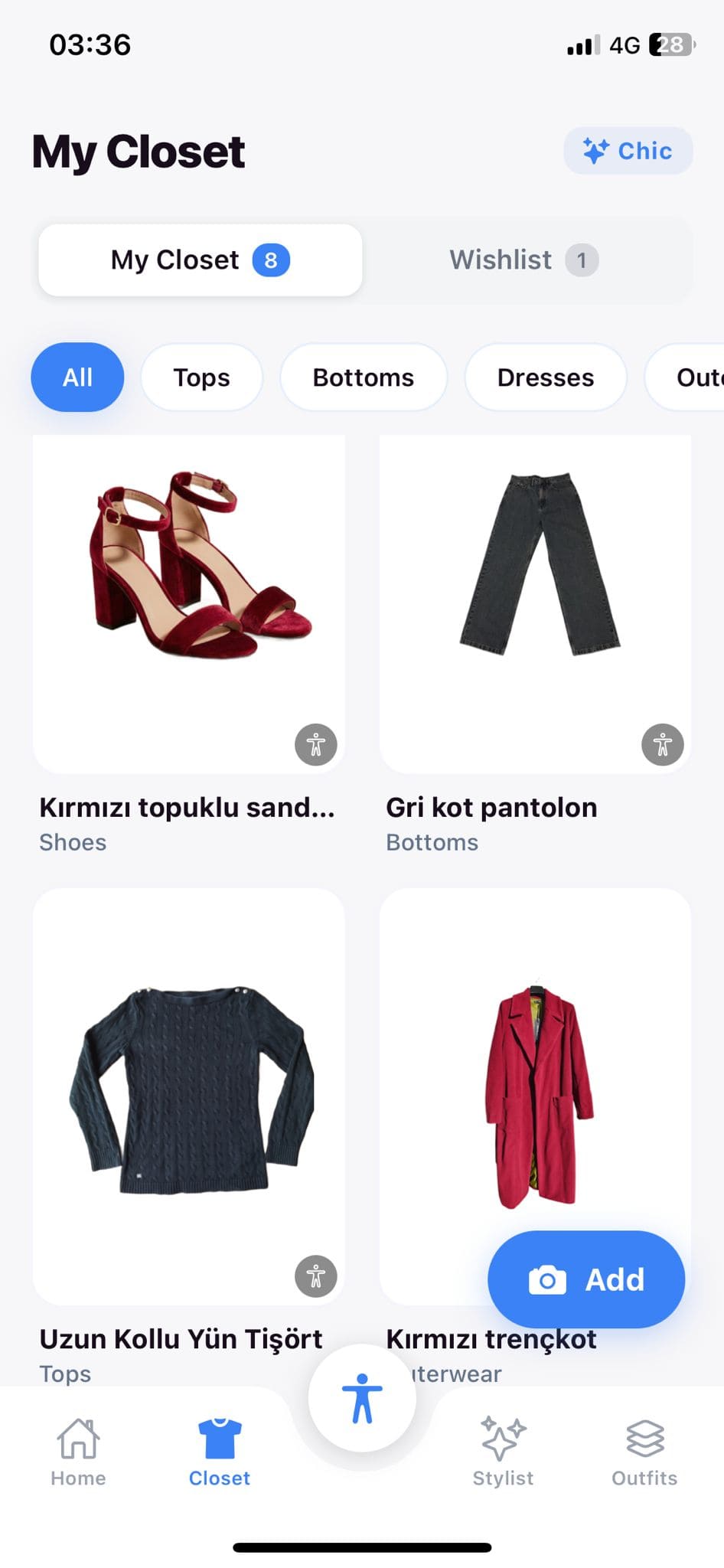
The Outfit Planner connects your wardrobe to your schedule. Drag and drop outfits onto calendar dates, attach notes about dress codes or venues, and view your week at a glance to make sure you are not repeating the same look in the same circle. MyWear can even auto-fill gaps in your calendar with AI-suggested outfits that respect your planned events and weather forecasts. When packing for a trip, switch to trip mode to see every outfit lined up day by day with a consolidated packing checklist.
How Outfit Planner Works
1
Open Your Calendar
Navigate to the Outfit Planner and view your upcoming days or weeks. Sync with your existing calendar app to pull in events, meetings, and travel dates automatically.
2
Assign Outfits
Drag a saved outfit or individual items onto any date. Add notes about the venue or dress code, and MyWear will flag conflicts like wearing the same blazer two days in a row.
3
Let AI Fill the Gaps
Tap auto-fill and MyWear suggests outfits for any unplanned days, factoring in your style profile, weather forecasts, and what you have already scheduled that week.
Benefits
Assign outfits to specific calendar dates with a simple drag and drop
Avoid repeating the same look in the same social circle within a week
Auto-fill empty days with AI suggestions that match upcoming events
Switch to trip mode for a day-by-day packing view with checklists
Attach dress code notes and venue details to any planned outfit
Try Outfit Planner Today
Download MyWear and experience outfit planner firsthand.
Free to download 4.8 App Store rating 50K+ downloads
FAQ
Trip mode lets you select a date range and plan one outfit per day for the entire trip. MyWear then generates a consolidated packing checklist showing every unique item you need, so nothing gets left behind.
Absolutely. If you assign the same outfit or key statement piece to dates that are close together, MyWear highlights the overlap and suggests alternatives from your closet.