No. MyWear's color correction is designed to reproduce the truest possible representation of the fabric. It counteracts yellow indoor lighting or blue outdoor shadows so the photo matches what your eyes see in person.
Studio-quality shots from your smartphone
Photo Enhancement
Automatically remove backgrounds, correct lighting, and polish your outfit photos so every item in your Digital Closet looks crisp and consistent.
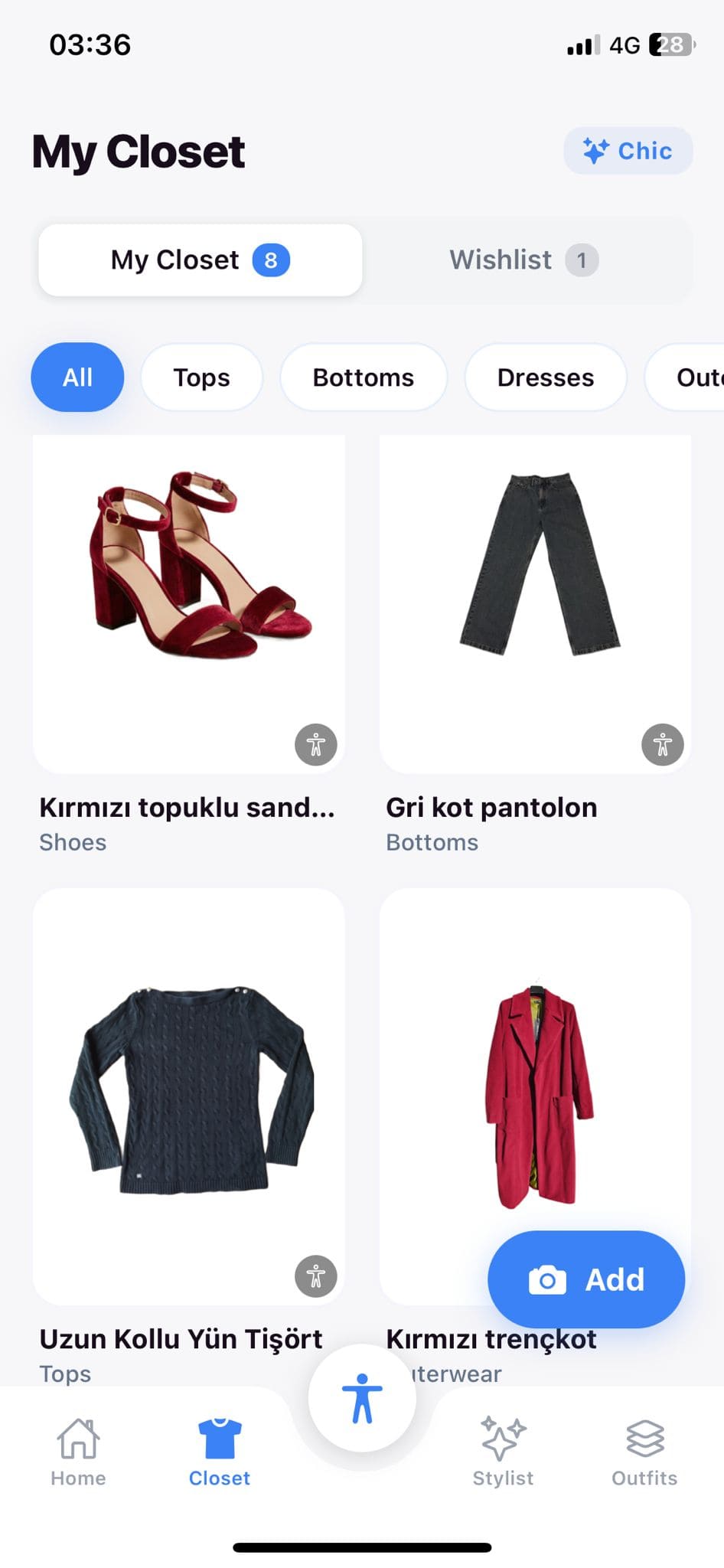
Photo Enhancement elevates the visual quality of your entire wardrobe library. When you upload a garment photo, MyWear's image pipeline removes cluttered backgrounds, balances color temperature, and sharpens details so every thumbnail looks like it belongs in a catalog. You can also enhance full outfit shots for sharing on social media or with friends. The result is a Digital Closet that is not only organized but genuinely beautiful to browse, making the daily ritual of choosing what to wear feel more inspiring.
How Photo Enhancement Works
1
Upload Your Photo
Take a photo or select one from your gallery. MyWear immediately detects the garment edges and begins processing the image in the background.
2
Auto-Enhance in Seconds
The enhancement pipeline removes the background, adjusts white balance, boosts sharpness, and normalizes lighting. A before-and-after preview lets you compare the results.
3
Save or Share
Accept the enhanced version to store it in your Digital Closet, or export it at full resolution for social media posts, blog content, or sharing with friends.
Benefits
One-tap background removal produces clean, catalog-style item photos
Automatic color correction ensures true-to-life fabric tones
Lighting normalization makes photos consistent regardless of where they were taken
Batch processing lets you enhance multiple photos at once
Social-ready exports create shareable outfit-of-the-day images
A polished closet view makes daily outfit browsing more enjoyable
Try Photo Enhancement Today
Download MyWear and experience photo enhancement firsthand.
Free to download 4.8 App Store rating 50K+ downloads
FAQ
Yes. Navigate to any item in your Digital Closet and tap the enhance button. MyWear will process the existing photo and replace the thumbnail with the improved version while keeping the original as a backup.
Batch processing is available on Vogue and Haute plans. Select multiple items from your closet, tap enhance all, and MyWear processes them in the background. You will receive a notification when every photo is ready.